# Brushstrokes
> The official brushstroke set, where each stroke goes, and the opacity and blend for every placement on renovare.org.
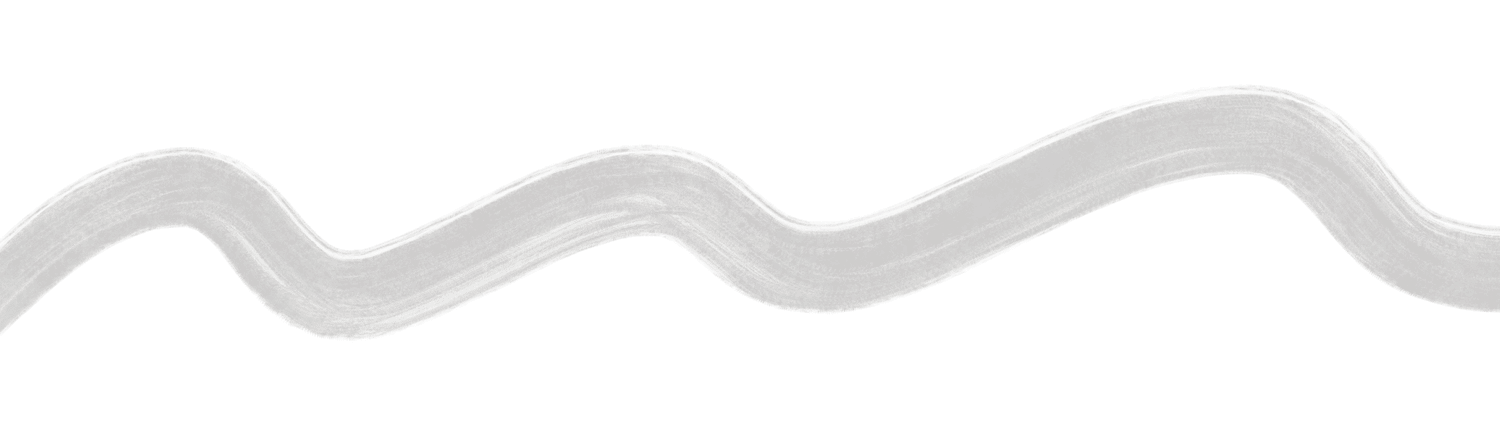
*A faint horizon, not a graphic.*
## The set
The seven strokes renovare.org uses, named by shape. Previews are small; downloads are full resolution.
| Stroke | Use | Download |
|---|---|---|
| Drop | Footer, newsletter panel | [PNG](https://ik.imagekit.io/renovare/images/brushstrokes/brushstroke_drop.png) |
| Loop | Not used on renovare.org yet; available for print and social | [PNG](https://ik.imagekit.io/renovare/images/brushstrokes/brushstroke_loop.png) |
| Loop Small | Card media, podcast pages | [PNG](https://ik.imagekit.io/renovare/images/brushstrokes/brushstroke_loop_sm.png) |
| Loop Vertical | Home hero | [PNG](https://ik.imagekit.io/renovare/images/brushstrokes/brushstroke_loop_vert.png) |
| Scribble | Quote panels on Rust | [PNG](https://ik.imagekit.io/renovare/images/brushstrokes/brushstroke_scribble.png) |
| Wavy | Page heroes | [PNG](https://ik.imagekit.io/renovare/images/brushstrokes/brushstroke_wavy.png) |
| Wavy Relaxed | Behind portraits and photo collages | [PNG](https://ik.imagekit.io/renovare/images/brushstrokes/brushstroke_wavy_relaxed.png) |
## Recipes
| Placement | Stroke | Opacity | Blend |
|---|---|---|---|
| Home hero | Loop Vertical | 5% | multiply |
| Page hero | Wavy | 30% | multiply |
| Footer (Green) | Drop | 50% | multiply |
| Newsletter panel (Green) | Drop | 100% | multiply |
| Behind portraits, light band | Wavy Relaxed | 50–60% | multiply |
| Behind portraits, dark band | Wavy Relaxed | 20% | screen |
| Photo collage | Wavy Relaxed | 25% | multiply |
| Card media | Loop Small | 20% | multiply |
| Podcast show page hero | Loop Small | 30% | multiply |
**Page hero.**
Page hero: Wavy at 30%, multiply. The stroke sits behind the text, wider than the screen.
Site partial: `_components/brushstroke with name: "brushstroke_wavy"`
```html
Formation
Renovaré Book Club
```
**On a dark band.**
On dark bands: Wavy Relaxed, screen blend, about 20%.
Site partial: `_components/brushstroke with name: "brushstroke_wavy_relaxed"`
Shown on: green background.
```html
```
## Rules
- At most one brushstroke in view at a time.
- Always behind content; never over text or faces.
- Only the supplied gray strokes. Don't recolor, outline or sharpen them.
- Let the stroke run off the edges of the screen; it should feel like a horizon, not a shape.
- On the web, load strokes from ImageKit as AVIF (`f-avif,q-60`); they're blended so faintly that the compression doesn't show.
## Extras
Earlier brushstroke exports, kept until we confirm which duplicate the set above. Need something new? Paint it with the [Procreate brush](https://styleguide.renovare.org/assets/brushstrokes/wet-acrylic.brush).
- [Accent Left](https://styleguide.renovare.org/assets/brushstrokes/Brushstroke-Accent-Left.png)
- [Accent Right](https://styleguide.renovare.org/assets/brushstrokes/Brushstroke-Accent-Right.png)
- [Hero](https://styleguide.renovare.org/assets/brushstrokes/Brushstroke-Hero.png)
- [Hero 1](https://styleguide.renovare.org/assets/brushstrokes/Brushstroke-Hero-1.png)
- [Hero 2](https://styleguide.renovare.org/assets/brushstrokes/Brushstroke-Hero-2.png)
- [Hero 3](https://styleguide.renovare.org/assets/brushstrokes/Brushstroke-Hero-3.png)
- [Hero 4](https://styleguide.renovare.org/assets/brushstrokes/Brushstroke-Hero-4.png)
- [Hero 5](https://styleguide.renovare.org/assets/brushstrokes/Brushstroke-Hero-5.png)
- [Hero 6](https://styleguide.renovare.org/assets/brushstrokes/Brushstroke-Hero-6.png)
- [Under Content](https://styleguide.renovare.org/assets/brushstrokes/Brushstroke-Under-Content.png)
- [Under Content 1](https://styleguide.renovare.org/assets/brushstrokes/Brushstroke-Under-Content-1.png)
- [Under Content 2](https://styleguide.renovare.org/assets/brushstrokes/Brushstroke-Under-Content-2.png)
- [Under Content 3](https://styleguide.renovare.org/assets/brushstrokes/Brushstroke-Under-Content-3.png)
- [Under Content 4](https://styleguide.renovare.org/assets/brushstrokes/Brushstroke-Under-Content-4.png)
- [Under Content 5](https://styleguide.renovare.org/assets/brushstrokes/Brushstroke-Under-Content-5.png)
- [Under Content 6](https://styleguide.renovare.org/assets/brushstrokes/Brushstroke-Under-Content-6.png)
- [Under Content 7](https://styleguide.renovare.org/assets/brushstrokes/Brushstroke-Under-Content-7.png)
- [Under Content 8](https://styleguide.renovare.org/assets/brushstrokes/Brushstroke-Under-Content-8.png)
- [Under Content 9](https://styleguide.renovare.org/assets/brushstrokes/Brushstroke-Under-Content-9.png)